Email Tracking
Track when customers open emails and click links in Zendesk.
About this app
Zendesk Email Tracking app
"Did the customer open my email?" You won't have to ask that question again with Zendesk read receipts from the Email Tracking app.
Monitor email opens, use link tracking, and track replies directly in Zendesk. Get clear visibility into customer email engagement without leaving your tickets.
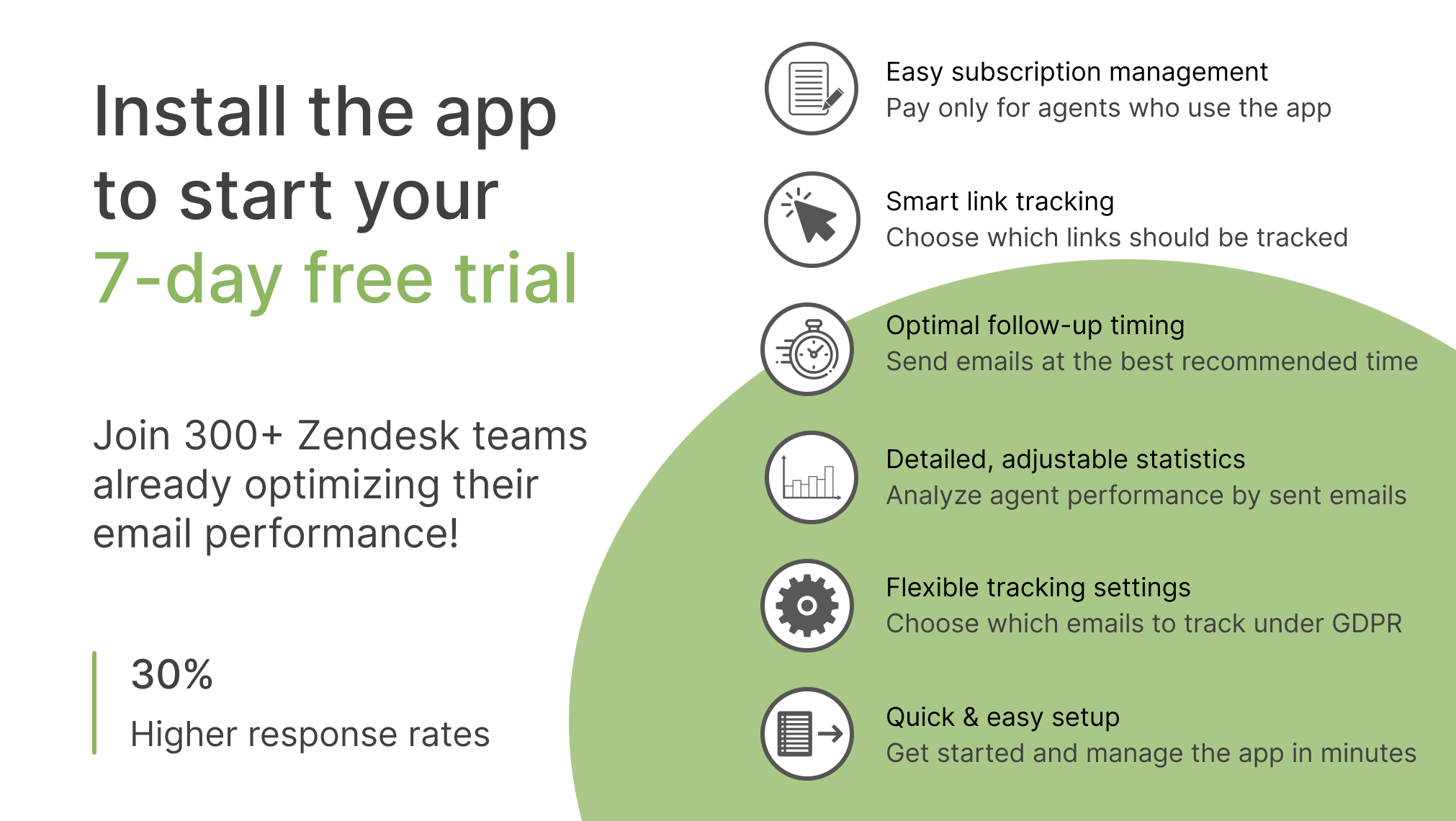
Try it for free for 7 days. 👉 Simply install this app in your Zendesk.
Want to get a personalized app setup? Book a free onboarding session to customize Email Tracking for your team and get started faster.
How does this Zendesk email integration work?
Email Tracking adds the email visibility missing from the standard Zendesk workflow, showing you when customers open your emails and click tracked links. See customer engagement directly in Zendesk and use this activity to decide when to follow up.
Turn email data into action
Respond faster and prioritize customer requests
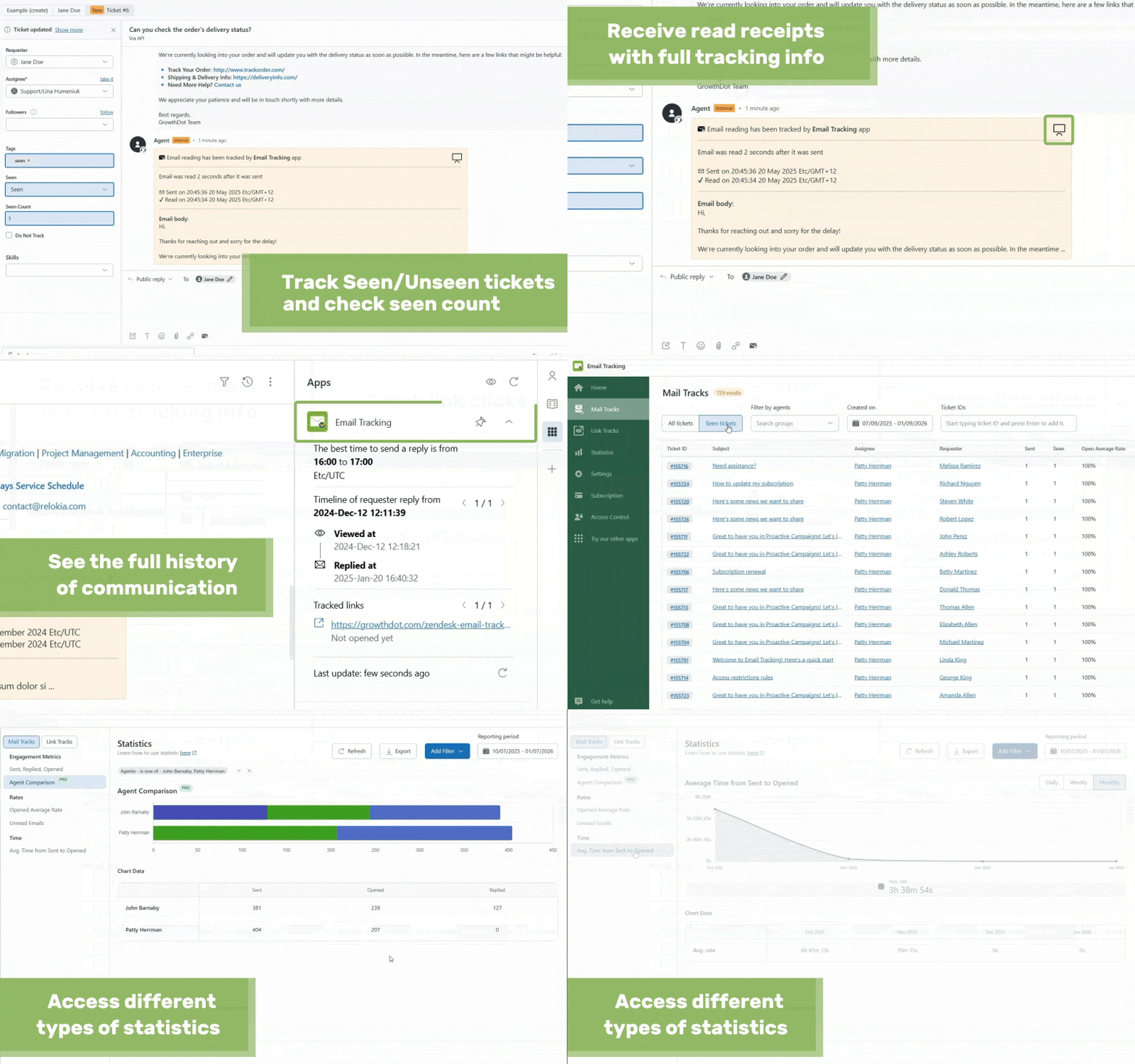
Email tracker app shows which messages have been read or remain unread and notifies you when a customer opens an email. Create Zendesk views based on Seen/Unseen status and prioritize conversations better.
Key features for support teams:
Read receipts with email open date, time, and device information.
Seen/Unseen columns in personal views.
Full activity history with recommended follow-up times.

Compare and improve team performance
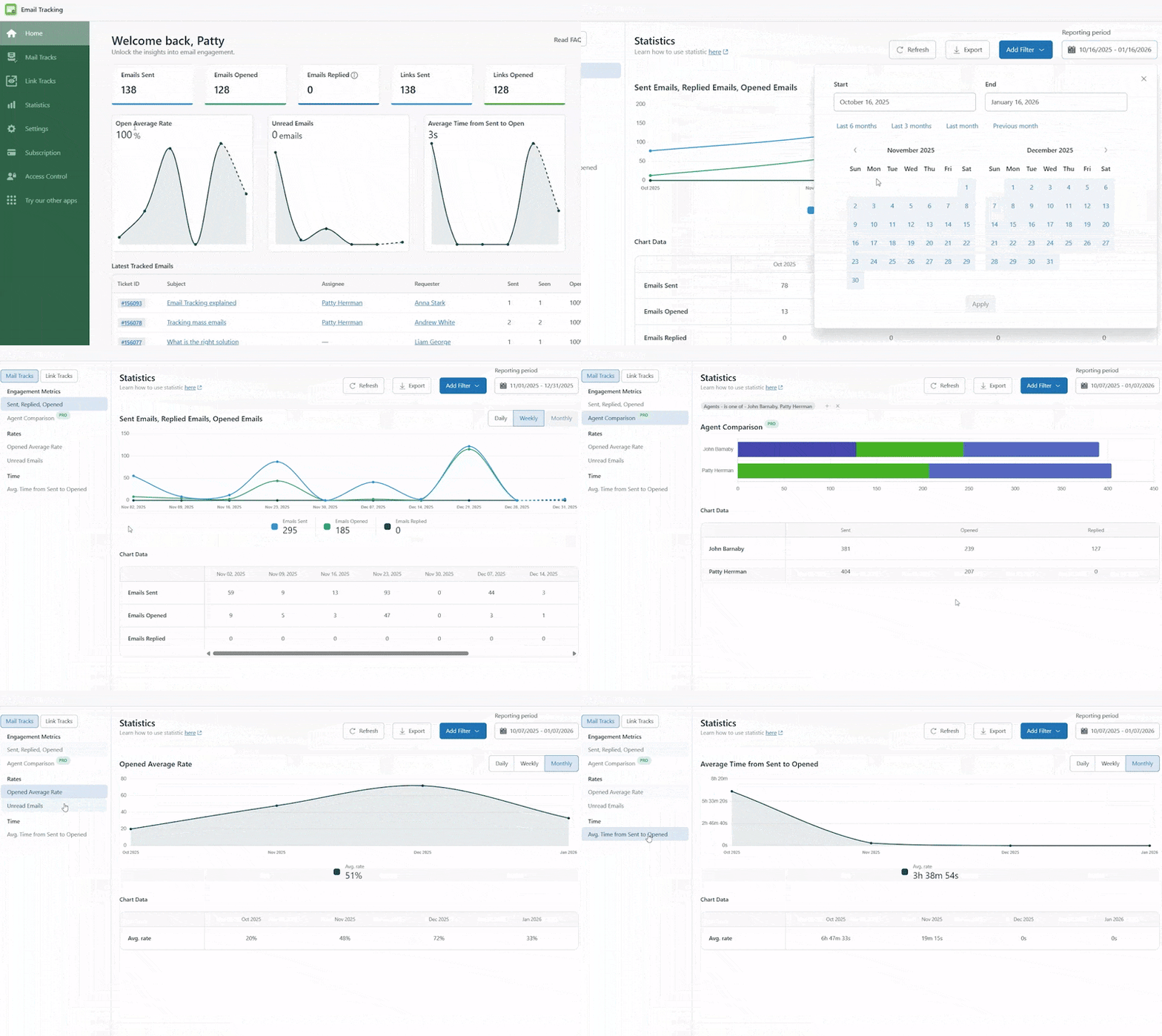
Track how each agent's messages are performing and monitor overall team trends. Identify gaps, coach agents, and use detailed reports to evaluate workflow changes and compare agent performance.
Key features for support leaders:
Agent comparison charts.
Reports to track changes in user engagement over time.
Filters to segment reports and focus on specific agents, periods, or email activity.
Monitor important internal communications
When sending important updates, documents, or policy emails, enable link tracking to know who actually opens them. Monitor engagement and make sure important information gets noticed with integrated Zendesk tracking.
Key features for internal communications:
Push notifications when recipients open emails.
Complete history of email openings and link clicks for each ticket.
Ability to detect unread emails or unopened links to prevent missed messages.

Track engagement with detailed statistics
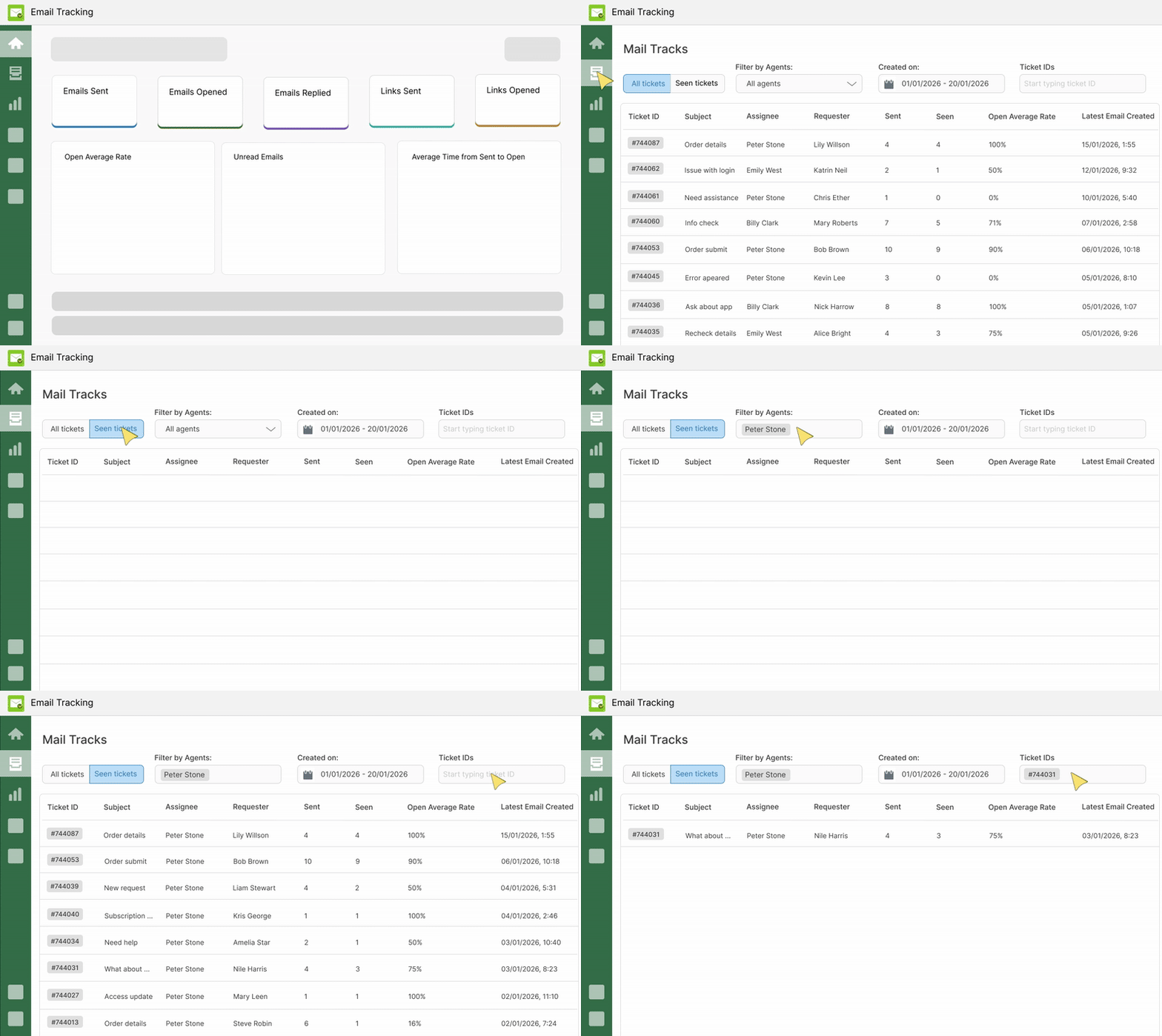
Analyze engagement for each email or ticket to identify your best-performing messages and optimize your email content. You can also integrate Email Tracking with the Proactive Campaigns app to track engagement across your campaigns.
Key features for marketing teams:
In-app statistics by email and ticket ID to analyze each message.
Real-time engagement data updates.
- Email Tracking integration with the Proactive Campaigns app.
Pay only for agents who have access to the app
Choose how many agents will actively use the Email Tracking app in Zendesk and pay only for them. Check out pricing for more information.
✅FAQs
Does Zendesk Support have built-in read receipts?
No. Zendesk Support doesn't track email opens or link clicks natively. However, our Email Tracking integration enables such functionality without changing how your Zendesk instance works.
Are agents' emails tracked immediately after installing the app?
No. Tracking does not start automatically. Agents must authorize the app, and one agent needs to enable the necessary triggers in the 'Select Emails to Track' section of the app settings. Once done, tracking begins for authorized agents.
Can we see who opened the email (customer or ticket followers)?
Yes. If a ticket follower opens an email, the app adds an internal note showing who read it, giving you clear visibility of engagement.
If the ticket is closed, will we still receive updates about email opens or link clicks?
No. Once a ticket is closed, the app stops tracking email opens and link clicks.
Does Email Tracking support GDPR compliance?
Yes. Email Tracking for Zendesk lets you disable tracking for recipients in the EU, UK, or California, helping you manage email tracking according to your privacy and compliance requirements.
Is my email and customer data safe with the Email Tracking app?
Yes. The app only accesses the minimal data needed for tracking. All processing happens inside Zendesk, and your data is encrypted and securely stored on AWS. Our hosting provider complies with ISO/IEC 27001:2013, ensuring high standards for information security. Your data is never shared with third parties.
If you still have questions about Email Tracking, ask us at contact@growthdot.com.

Ready to track your Zendesk emails? Start your 7-day free trial today!****
Details zur App
Installationsanweisungen
Follow these steps to install and start tracking email opens with Email Tracking:
- Step 1: Install the app from the marketplace by simply clicking the ‘Install’ button on the right.
- Step 2: Select your Zendesk Support instance and proceed.
- Step 3: Enable the app in Admin -> Apps -> Manage.
- Restrict or allow access for specific groups or agents to Email Tracking at any time. Pay only for those who use the app and only for a particular period. Follow these steps to do it.
- Step 4: Start using the email tracker and getting the read receipts. Never wonder if the customer opened your email again!
Bewerten Sie uns!
Teilen Sie Ihre Erfahrungen mit der Zendesk Community