Refaire
Autonomous AI technician: diagnose issues, order parts, and guide repairs.
Installationen
Less than 5
Kompatibel mit
Support
Entwickler:in
Refaire
About this app
Refaire is an autonomous AI technician for physical product issue resolution.
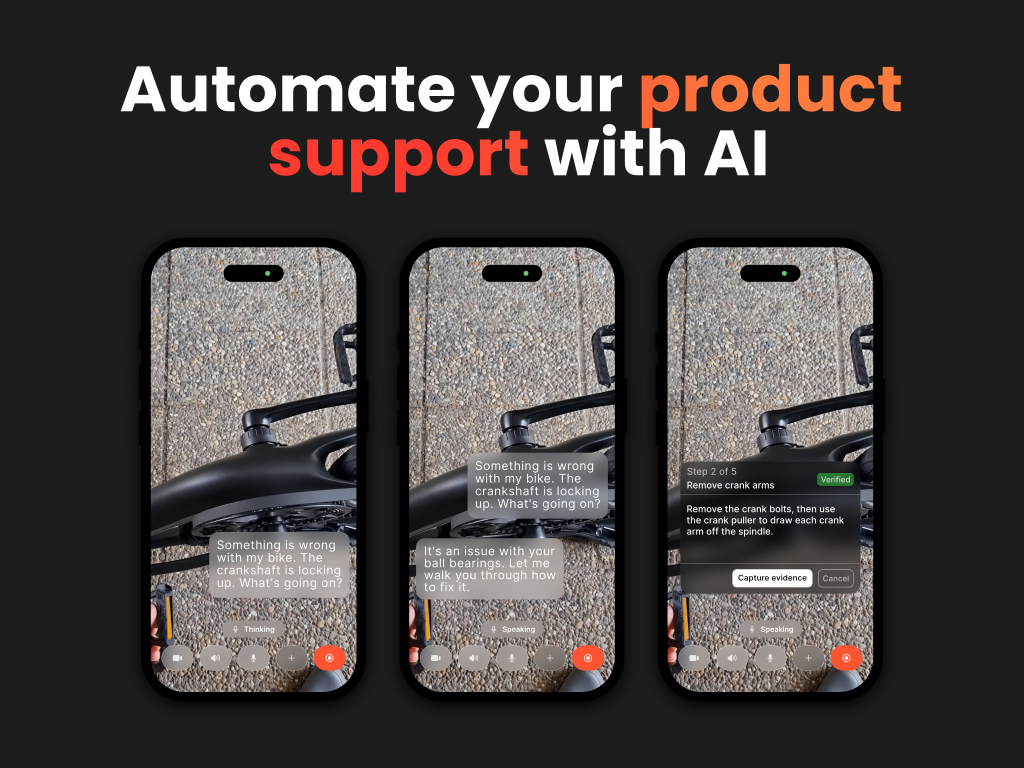
- Refaire is the front line for product support. Customers show what's wrong with their phone camera, and Refaire identifies the product, diagnoses the issue from real-world evidence, orders the damaged part, and guides the fix step by step without a human agent.
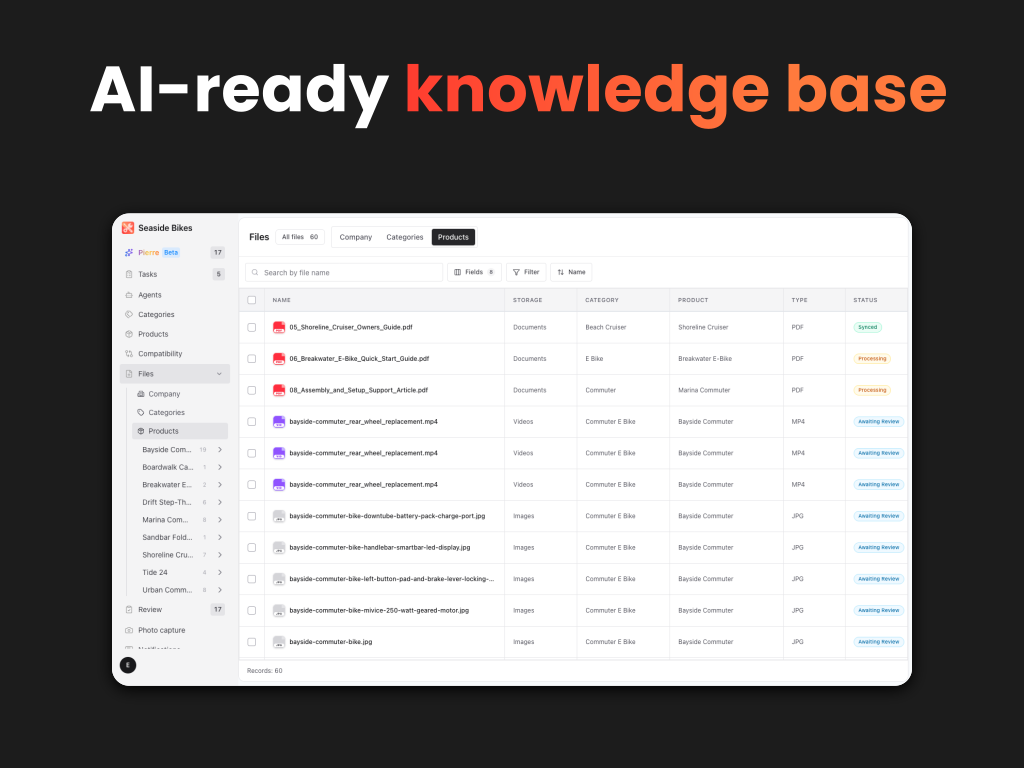
- Every answer is grounded in your own manuals, repair procedures, parts catalog, warranty rules, and support guidelines, which you upload once to feed the product knowledge bank.
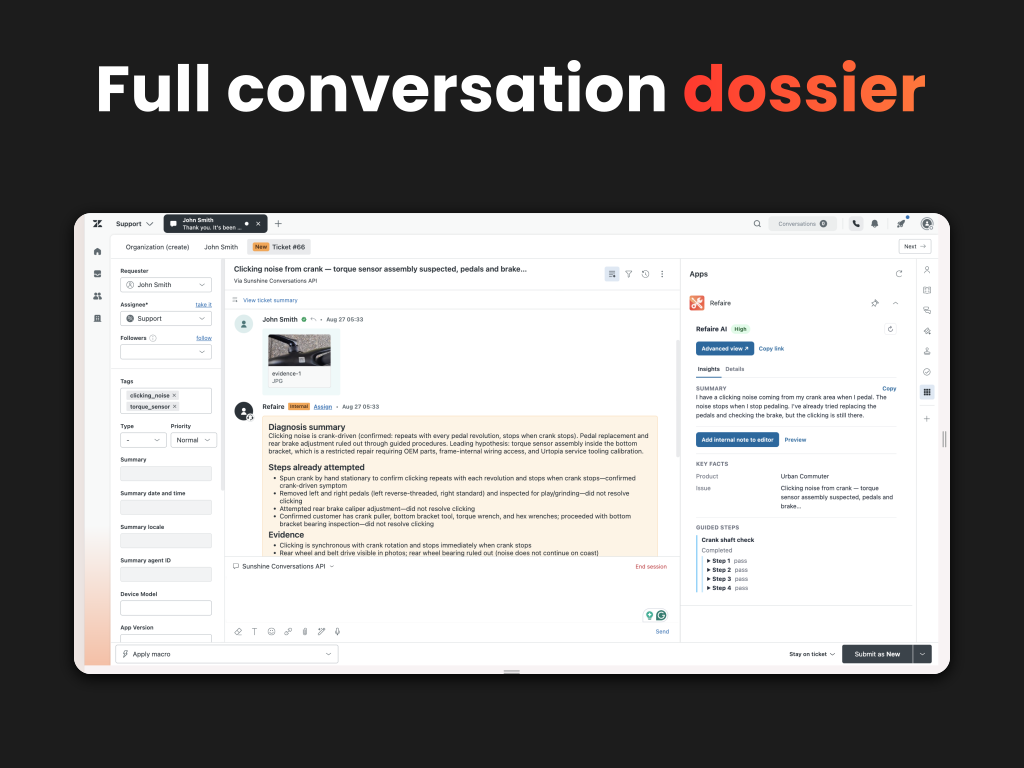
- When a case needs a person due to a safety issue, a dealer-only repair, or the customer asks, Refaire creates the Zendesk ticket automatically, with the diagnosis, steps completed, and the visual and audio evidence already attached.
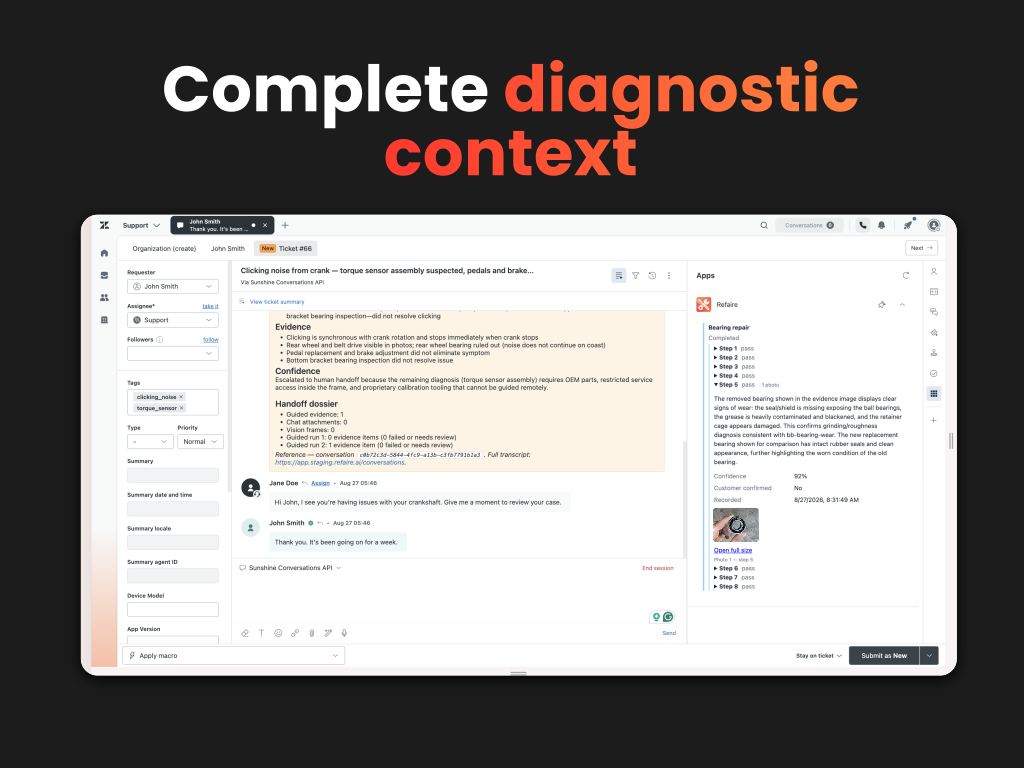
- Agents see all the steps the customer took in the ticket sidebar and can add additional notes.
- Each resolution feeds back into the knowledge bank, so the next customer with the same symptom gets a faster, more confident answer.
- Recurring failures, symptoms, and what actually fixed them are captured as structured data for your engineering and warranty teams to act on.
Results across Refaire deployments
- 81% first-contact resolution
- 64% shorter handle time
- 70% fewer technician dispatches
Key Features
Resolve most product issues before they reach a ticket
Customers get visual, step-by-step support from the moment an issue starts: identify the product, diagnose from photos, video, sound, or a live camera view, find the right part, and work through the repair. The AI technician closes issues without ever touching your ticket queue.
Answers that come from your documentation, not a general model
Refaire reads owner's manuals, service bulletins, repair procedures, spec sheets, and parts lists and connects them into one product knowledge bank: models, components, compatibility, symptoms, failure modes, and safety rules. Customers ask in plain language and get the manufacturer-approved answer from your own files.
Escalation tickets that arrive finished
When Refaire hands off, the Zendesk ticket is created with the customer's problem already worked: what they tried, what happened, product model, serial number, error code, and the photos and video frames they submitted.
Full diagnostic context in the ticket sidebar
The Refaire panel shows a summary, key facts, every guided step with its result and the customer's confirmation, and the evidence behind each one. A Details tab holds the rest of the media and IDs, and an Advanced view opens the full conversation in Refaire.
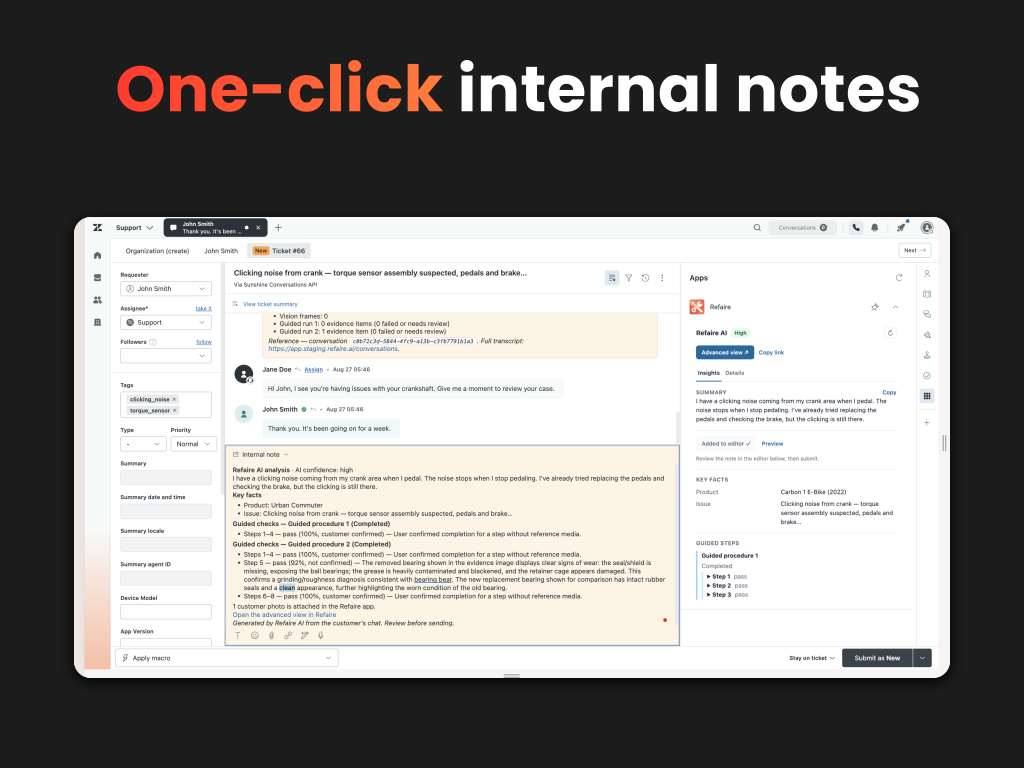
One-click internal note
Add the analysis to the ticket as an internal note with a single click. It lands in the editor for the agent to review before submitting, so the record on the ticket is always something a person approved.
Escalates on your rules
Hand off at a confidence threshold, when a customer asks for a person, or on timing you set. Refaire tags escalated tickets so your triggers, views, and routing work the way they already do.
One source of truth for your whole support network
Customers, agents, field technicians, dealers, installers, and service partners all work from the same current, manufacturer-approved product knowledge — instead of inconsistent manuals, tribal knowledge, and a few senior engineers who know everything.
Our best use cases
E-bikes and e-mobility, home and kitchen appliances, HVAC and home comfort, power tools and outdoor equipment, 3D printers and prosumer devices, robotic mowers and pool cleaners, drones, lab equipment, consumer electronics — any product where support means diagnosing a physical issue.
Data and privacy
Media is served to the sidebar through signed, expiring links and is not copied into Zendesk. See our Privacy Policy.
Get started at refaire.ai or book a demo.
Details zur App
Installationsanweisungen
Quick setup
Click Install above.
- In the Refaire portal, open Account → Integrations → API Keys, create a key, and copy it.
- Paste it into the Install token field. Leave API host at the default unless Refaire has given you a dedicated endpoint.
- Open any ticket Refaire has escalated (tagged
refaire_esc_…) to see the panel.
Need help? Book an onboarding call.
Bewerten Sie uns!
Teilen Sie Ihre Erfahrungen mit der Zendesk Community