RuleScope
Debug triggers: find conflicts, dead rules, and order issues
Installationen
Less than 5
Kompatibel mit
Support
Entwickler:in
RuleScope
About this app
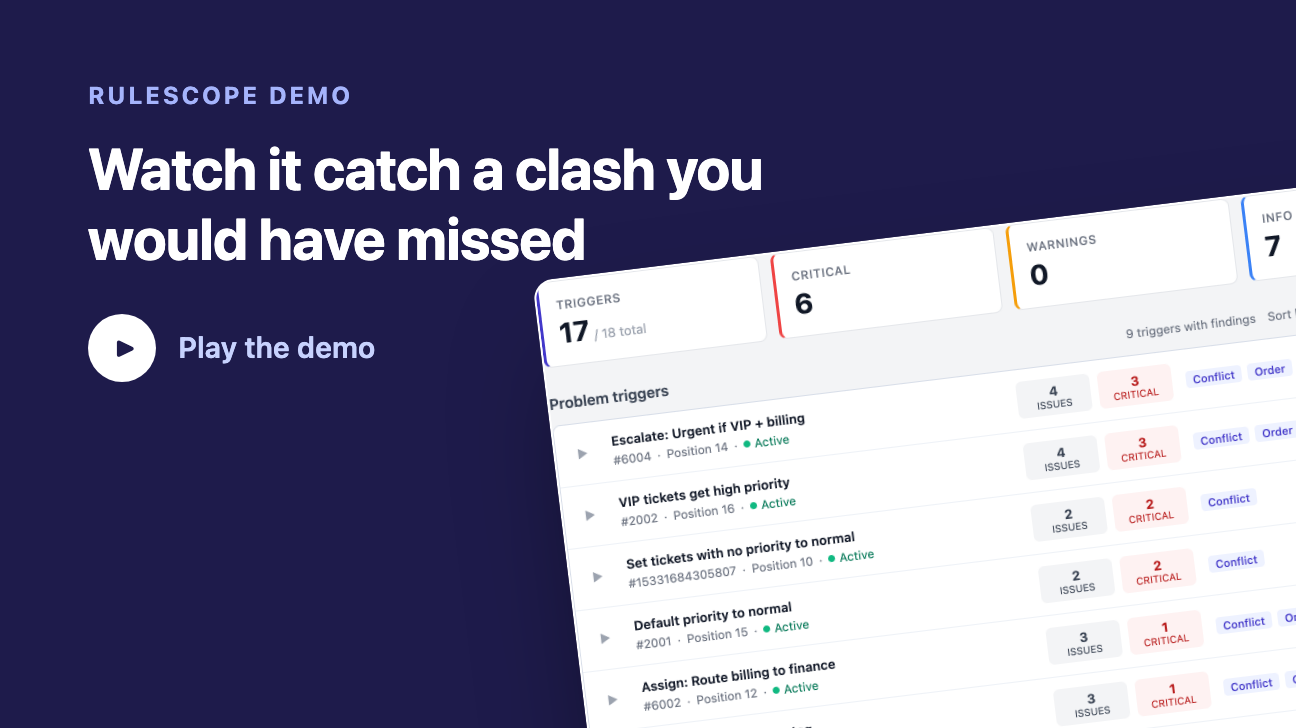
RuleScope gives Zendesk admins instant visibility into trigger health. Open the app and it scans every trigger automatically. There is nothing to configure.
What it detects
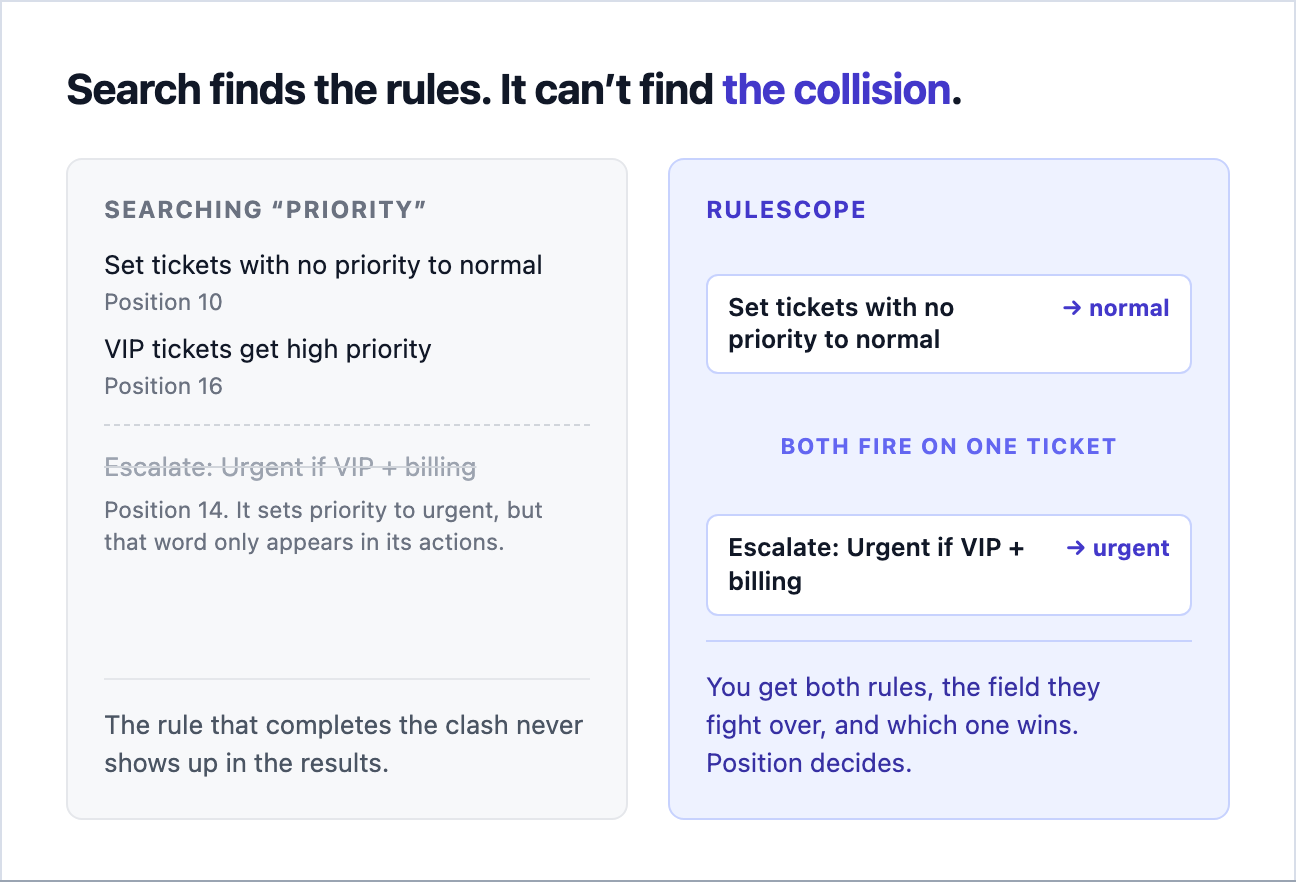
- Action conflicts. Two triggers can both fire on the same ticket and set the same field to different values (one sets priority to High, another to Low).
- Dead rules. Triggers with logically impossible conditions that can never fire (status is "new" AND status is "open").
- Redundant triggers. Duplicates with identical conditions and actions.
- Execution order issues. A trigger changes a field that a later trigger depends on, creating a hidden ordering dependency.
How is this different from Zendesk's built-in search?
Search matches the text in your rules. It cannot tell you that two of them land on the same ticket and fight over the same field.
Ticket debugger
Pick any trigger, load a real ticket (or enter values by hand), and RuleScope evaluates every condition to show which ones pass, fail, or are unknown. It names what is blocking the trigger and tells you what to change so it would fire.
Reading the report
Every finding is grouped under the trigger that causes it, so one problem trigger is one row instead of many near-identical lines
Sort problem triggers by impact, issue count, or execution position
Summary cards show active trigger count and a critical / warning / info breakdown
Each finding is written in plain language: what is happening, why it matters, and the recommended next step
Trigger names link straight into your Zendesk admin, so you can go fix the rule you are reading about
Privacy & data disclosure
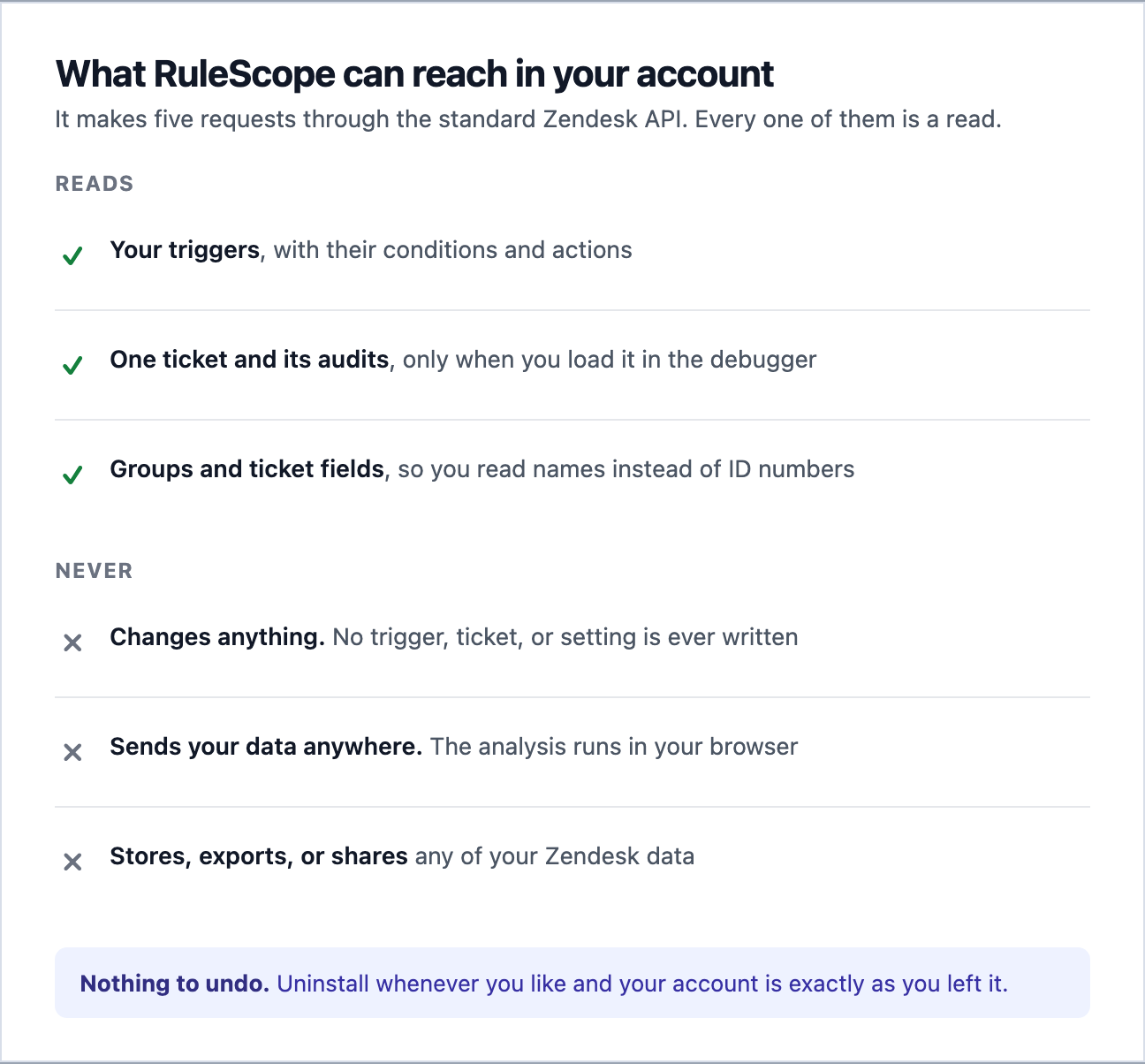
RuleScope operates entirely within the Zendesk Apps Framework. It reads the following through the standard Zendesk API:
Triggers (conditions, actions, metadata)
Tickets and ticket audits (only when you explicitly load a ticket in the Ticket debugger)
Groups and ticket fields (for display labels)
All analysis runs locally inside your browser. No data is sent to external servers. RuleScope does not store, export, or share any of your Zendesk data. For more details, see our privacy policy at https://rulescope.offshoot-labs.com/privacy.
Details zur App
Installationsanweisungen
Install RuleScope from the Zendesk Marketplace.
- Open Zendesk Support. You will see a new RuleScope icon in the left navigation bar.
Click the icon. RuleScope reads your triggers and scans them automatically. There is nothing to configure.
- The Issues view lists your problem triggers, worst first. Every finding is grouped under the trigger that causes it, and you can sort by impact, issue count, or execution position.
Expand a trigger to read its findings in plain language: what is happening, why it matters, and the recommended next step. Trigger names link straight into your Zendesk admin.
- To check one trigger against one ticket, open the Ticket debugger tab, choose a trigger, and enter a ticket ID or URL. RuleScope evaluates every condition and names the ones blocking the trigger from firing. You can also edit field values by hand and re-evaluate.
- After changing triggers in Zendesk, use Scan again to refresh the report.
Bewerten Sie uns!
Teilen Sie Ihre Erfahrungen mit der Zendesk Community