Neu
Enreach Omnichannel
Make and receive calls from Zendesk and centralize all the information
Kompatibel mit
Support
Entwickler:in
Enreach
About this app
Available only to agents with “Talk - Partner Edition” seats (see https://www.zendesk.com/talk/pricing)
Enreach Omnichannel integrated with Zendesk
Everything you need, in one place
Easily integrate your phone system from the Zendesk control panel.
Make and receive calls from Zendesk, automate ticket creation, and record call information.
- Zendesk ID (optional): enter your custom instance identifier during install if your environment uses non-standard behavior.
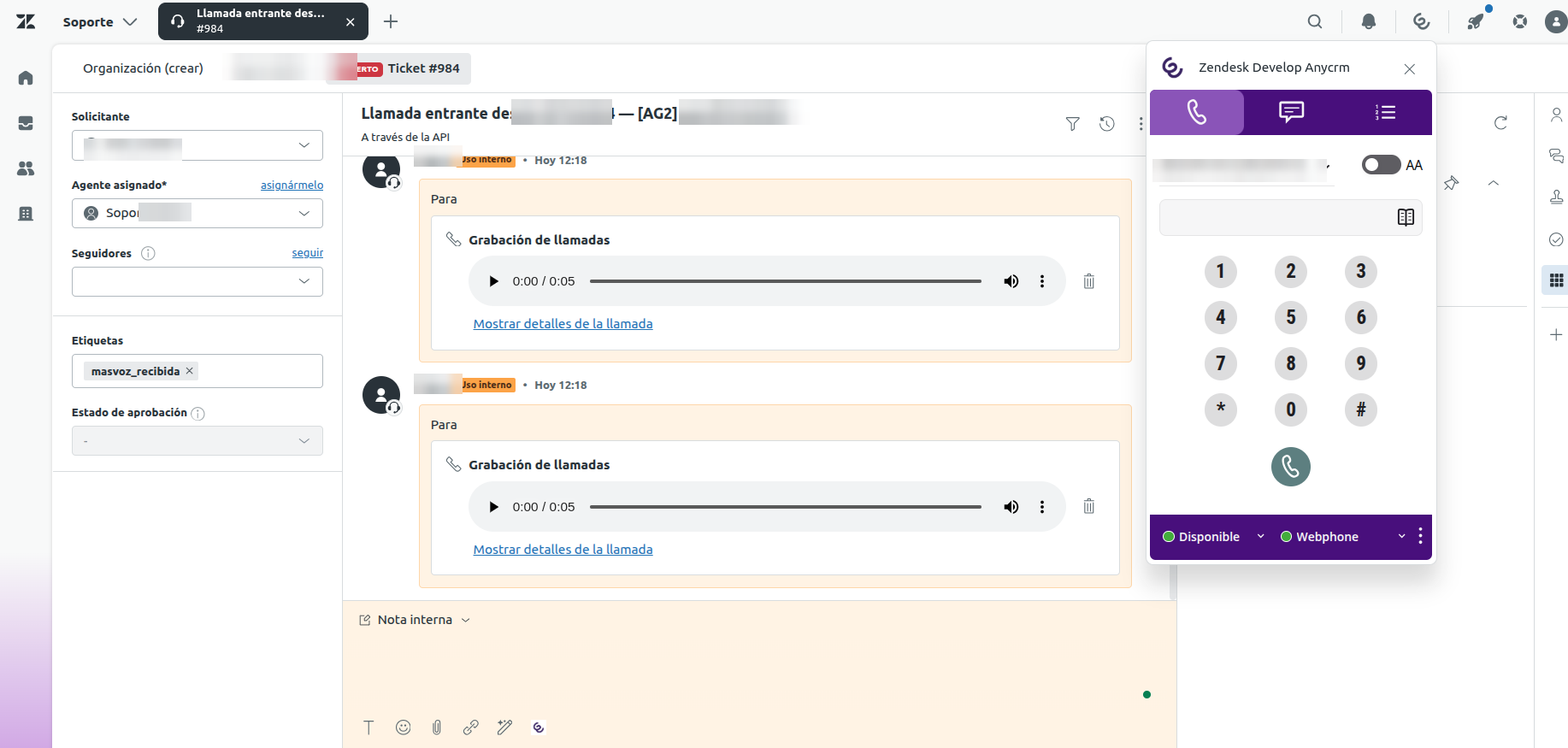
Your customer information always at hand
Save time, boost productivity, and reduce errors by automating processes.
Access call details (agent, phone, date/time, recording, custom labels) and create reports in Zendesk.
Establish logics and workflows
Customize call flow in your Enreach agent module: routing, voice recognition, selection menu, etc.
We are leaders in converged contact solutions
Enreach leads IP telephony and UCaaS in Europe (annual Frost Radar report).
Full portfolio of collaborative technologies and convergent telecom services for business systems of all sizes.
Why Enreach?
Market leader for IP telephony and UCaaS in Europe
More than 2.3 million users
More than 500,000 managed conversations per day
Presence in more than 25 countries
More than 1,200 professionals
More than 20 years of experience
24/7 service
How is this app different from Omnichannel Contact Center?
This is a separate product, not an in-place update of the legacy app. Key functional differences:
| Topic | Enreach Omnichannel (this app) | Omnichannel Contact Center (legacy) || --- | --- | --- || User interface | Redesigned UI; same voice features, configurable | Legacy fixed UI || SSO (Enreach) | Supported — organization SSO | Not supported || Chat | Supported (with voice) | Not available || Call history | Call list in agent panel | Not available || Zendesk auth | OAuth only (recommended) | OAuth or API token || Best for | New deployments and migrations | Customers still on legacy |
This listing is the new Enreach Omnichannel app. It does not replace an existing install automatically: plan migration with Enreach if you use Omnichannel Contact Center.
Data Disclosure / Privacy Notice
This Enreach app accesses and processes user and customer data only as needed for its Zendesk functionality (user IDs, tickets, contacts). Data is used solely to sync and display communication between Enreach and Zendesk, and is not shared with third parties except as required to provide the service.
See our Privacy Policy.
Details zur App
Installationsanweisungen
Please note that a valid Enreach subscription is required to use the service.Should you have any queries, please contact: crm@enreach.com or call +34931228285
Zendesk authentication (OAuth only)
This app uses OAuth only. API token authentication is not supported.
When an agent opens the app, Zendesk OAuth runs automatically (consent popup if needed). Agents must have a Zendesk role with these permissions:
Read and write users
Search users by phone
Read organization
Read and write tickets
(System roles such as Light Agent may not be able to create users.)
Optional setting
- Zendesk ID — use only if Enreach provided a custom flow identifier for your organization.
Basic instructions
Open the app from the Zendesk top bar.
Complete Zendesk OAuth if prompted.
Sign in with your Enreach agent credentials when the agent panel loads.
Allow microphone access if your browser requests it.
Make and receive calls from Enreach Omnichannel.
Ticket management
Each call made or received automatically creates a Zendesk ticket. When the call ends, the ticket is updated with duration and recording when available.
Side panel
The side panel lists phone numbers related to the open ticket or contact. Click Call to place an outbound call.
Features
Active call display with contact and duration
Automatic answer
Contact search and click-to-dial
On-screen keypad
Call recording
Blind and assisted transfer
Call hold
Microphone and speaker controls
CLI selector
Agent state and extension selection
Enreach session login/logout
Bewerten Sie uns!
Teilen Sie Ihre Erfahrungen mit der Zendesk Community