Neu
Git-Zen for Jira Zendesk Integration
Close the loop between support and engineering. Create Jira issues, track updates, and sync comments — without leaving Zendesk.
Kompatibel mit
Support
Entwickler:in
Git-ZenAbout this app
Git-Zen for Jira
Your support team lives in Zendesk. Your developers live in Jira. Git-Zen bridges that gap so both teams stay in sync — without anyone needing to switch tools or chase each other for updates.
Trusted by support teams at Mapbox, Netlify, Grafana, Cockroach Labs, DJI, Pfizer, Dell, and hundreds more.
How It Works
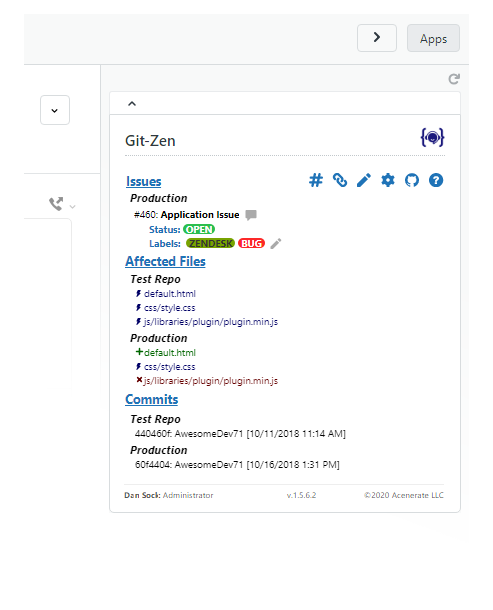
From a Zendesk ticket, agents can:* Create a new Jira issue in one click (using your existing labels, projects, and priorities)* Link an existing Jira issue to the ticket* See all issue updates and comments appear automatically in the ticket timeline
From Jira, developers can:* Reference a Zendesk ticket number in a Jira issue comment — the issue appears in the ticket automatically* Leave issue comments that flow into Zendesk as public or private notes
No Jira access required for agents. No Zendesk access required for developers.
Key Features
- Two-way issue sync — Create or link Jira issues directly from Zendesk tickets
- Two-way comment sync — Issue comments appear in Zendesk; ticket comments post to Jira
- Labels, projects & fix versions — Set all Jira fields when creating issues from Zendesk
- Priority & assignee — Set priority and assignee on Jira issues from Zendesk
- Multiple issues per ticket — Link as many Jira issues as needed to one ticket (and vice versa)
- Tagging for reporting — Auto-tag Zendesk tickets when linked or resolved
- Role-based permissions — Control which agent roles can create or modify issues
- Flat-rate pricing — Unlimited agents, unlimited tickets, one fixed cost
Pricing
$99.99/month per Zendesk instance — start with a free trial
$900/year — save 25% with annual billing
Security
Git-Zen does not store your Zendesk or Jira data. Only your settings are held on Git-Zen servers. Authentication uses OAuth 2.0 with refresh tokens. Works with Jira Cloud.
For more information, visit https://www.git-zen.com/zendesk-jira-integration.html
Details zur App
Installationsanweisungen
Git-Zen Installation Guide
Set up Git-Zen for Jira in just a few steps.
1. Install the App
- Open a Zendesk ticket and open the Apps sidebar.
- Authorize Zendesk
- Authorize Jira
Set Your Organization settings up
You're all set!
Need more help? View the full installation guide:
Bewerten Sie uns!
Teilen Sie Ihre Erfahrungen mit der Zendesk Community