SmartCustomer Reviews
Elevate your online presence by collecting, monitoring, and sharing brand and product reviews.
Installationen
Less than 5
Kompatibel mit
Support
Entwickler:in
SmartCustomer
About this app
Join over 60K brands using SmartCustomer to build trust that scales.
The SmartCustomer Zendesk app allows you to monitor, manage, and respond to the reviews your business receives on SmartCustomer. The app makes it easy to notify and assign reviews to support staff so they can address any potential issues in a timely manner.
With the SmartCustomer Zendesk app, you’ll be able to:
Create a support ticket whenever a new review is submitted about your business, and automate ticket creation based on filters (e.g. for reviews rated 3 stars and under)
Make sure all reviews and customer issues are addressed quickly by a member of your support team
Respond publicly or privately to a reviewer through Zendesk. Use Zendesk's public and private responses to automatically create and send review replies on SmartCustomer
Receive and respond to all messages through Zendesk, and correspond with SmartCustomer reviewers without having to leave the Zendesk dashboard
Easily manage reviews from multiple review sites – all within Zendesk
Privacy policy https://www.smartcustomer.com/business/privacy
Details zur App
Installationsanweisungen
Search for SmartCustomer in the App Marketplace and install it.
In App > Manage you should see the application installed.
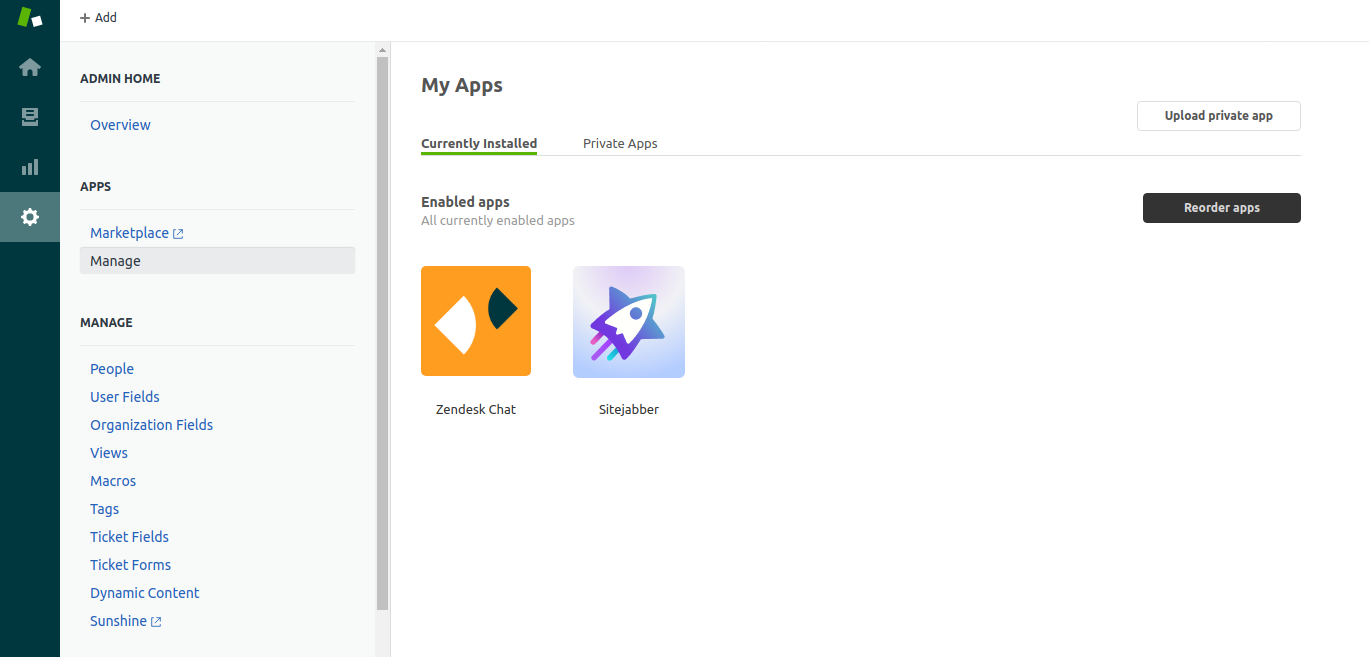 3. Go to Channels > Channel Integrations.
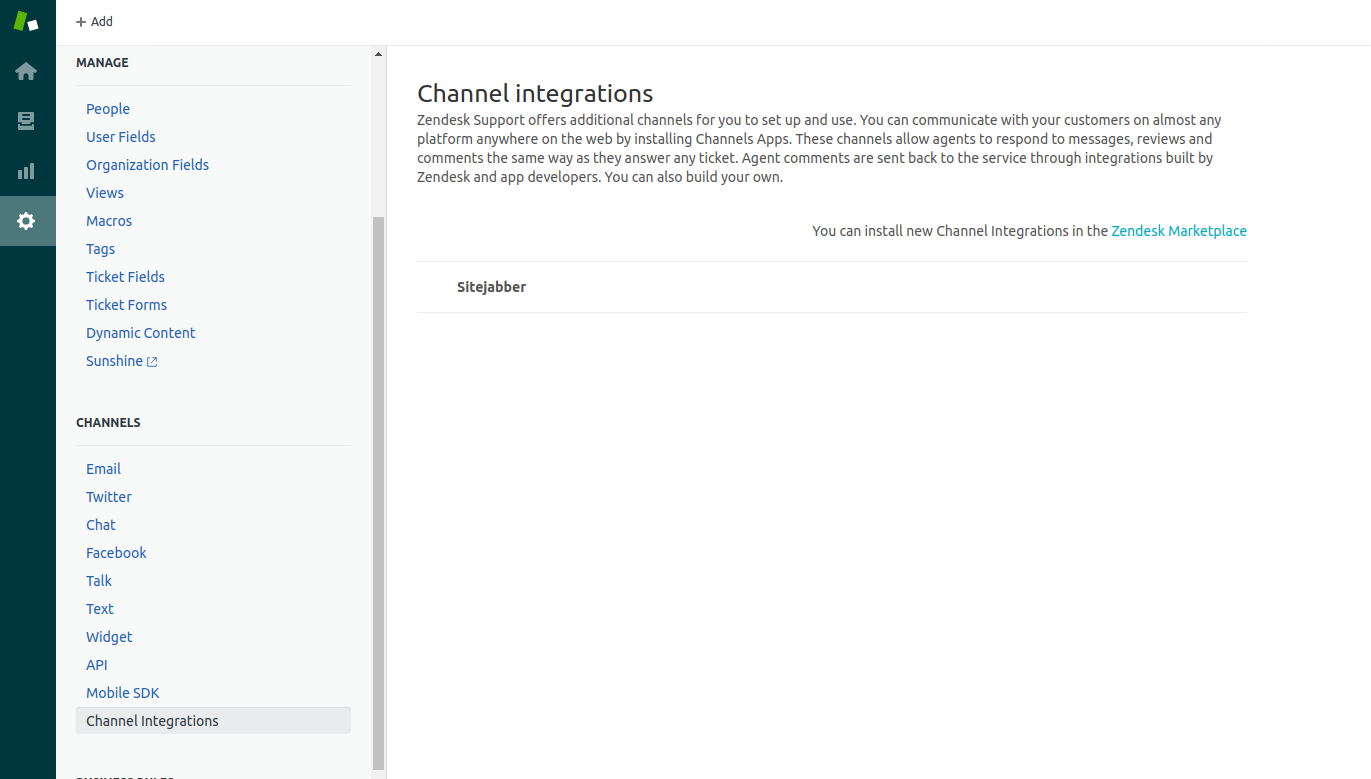 4. Click on SmartCustomer channel.
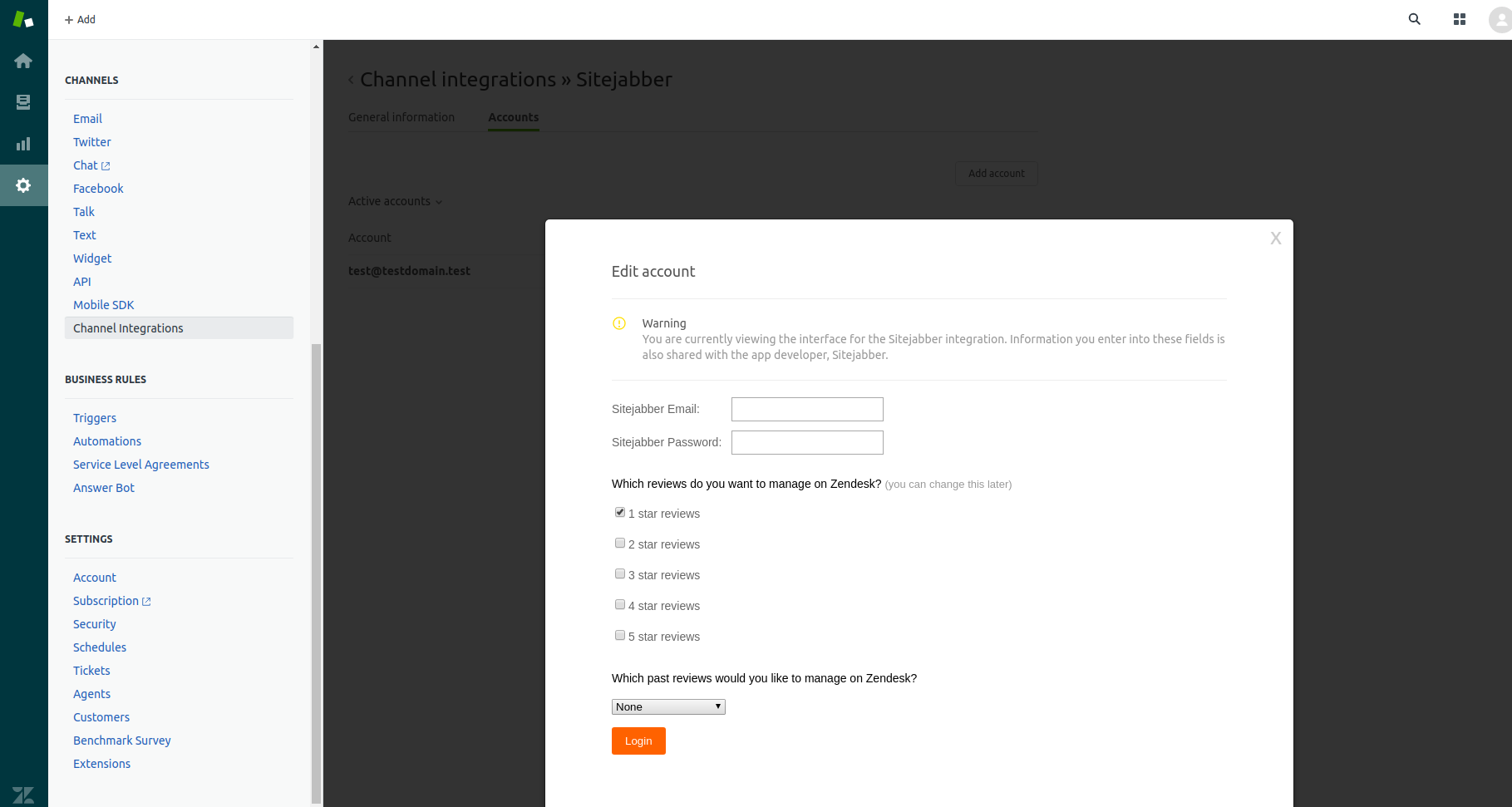
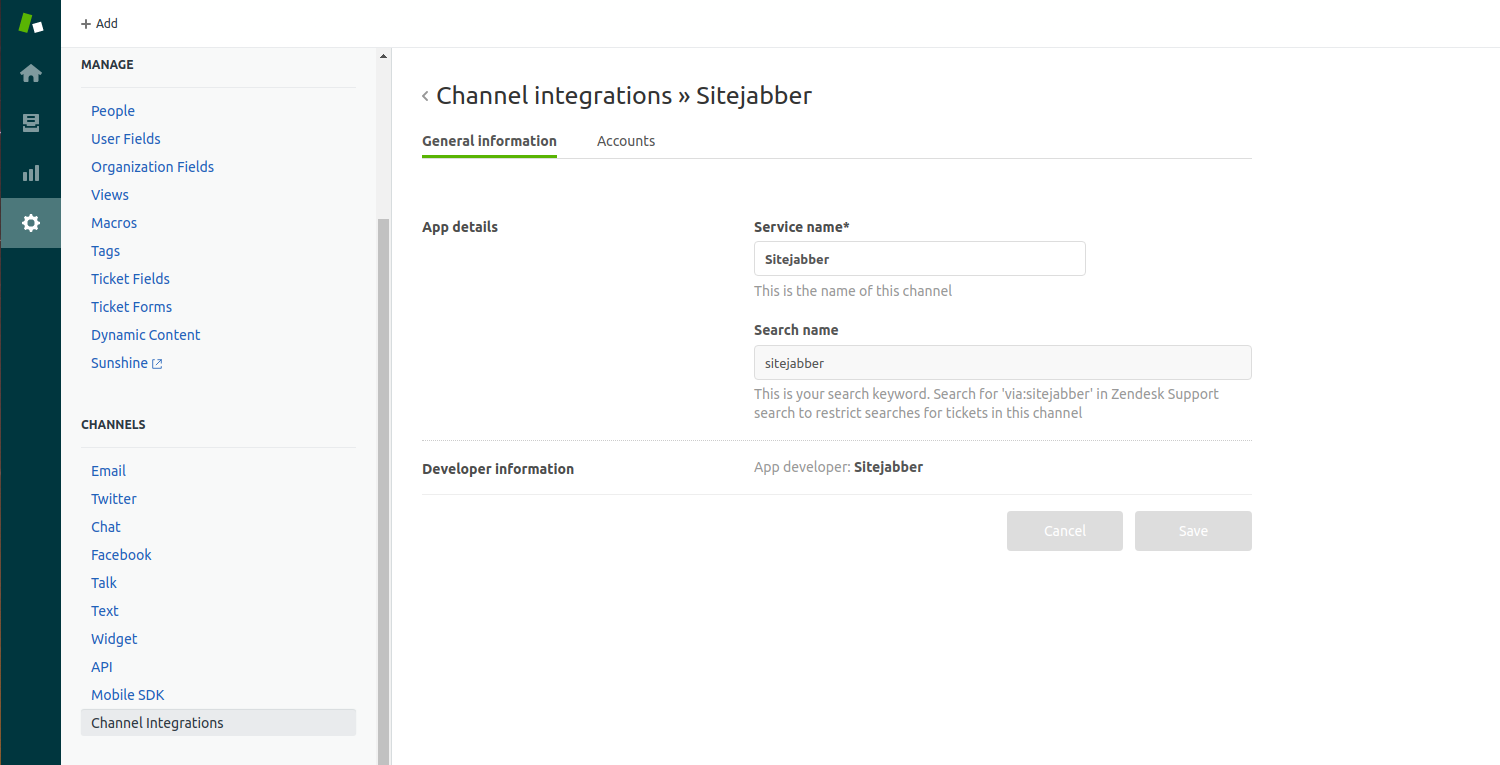 5. Click on Accounts tab, then click on Add account button.
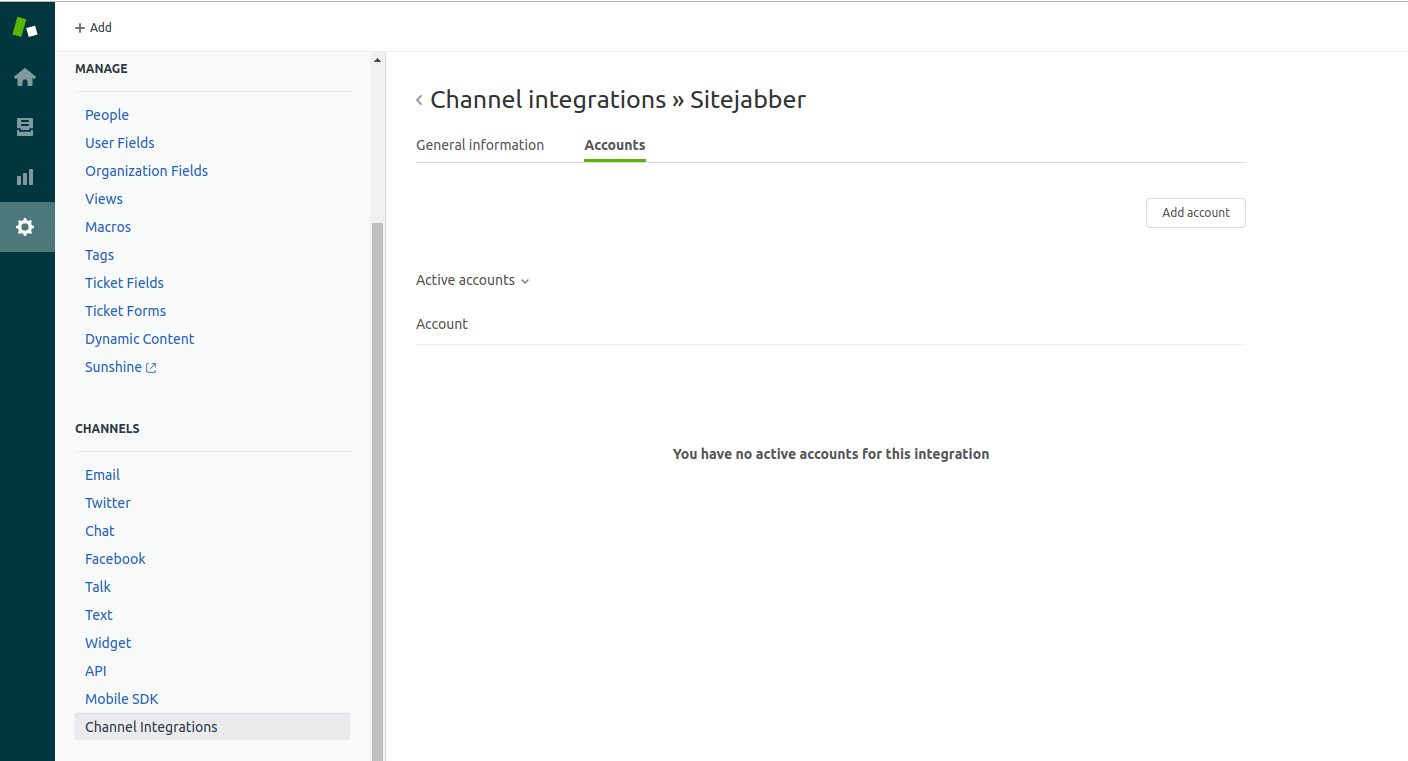 6. Enter your SmartCustomer business email and password. Select which reviews to pull in and if you want historical reviews.
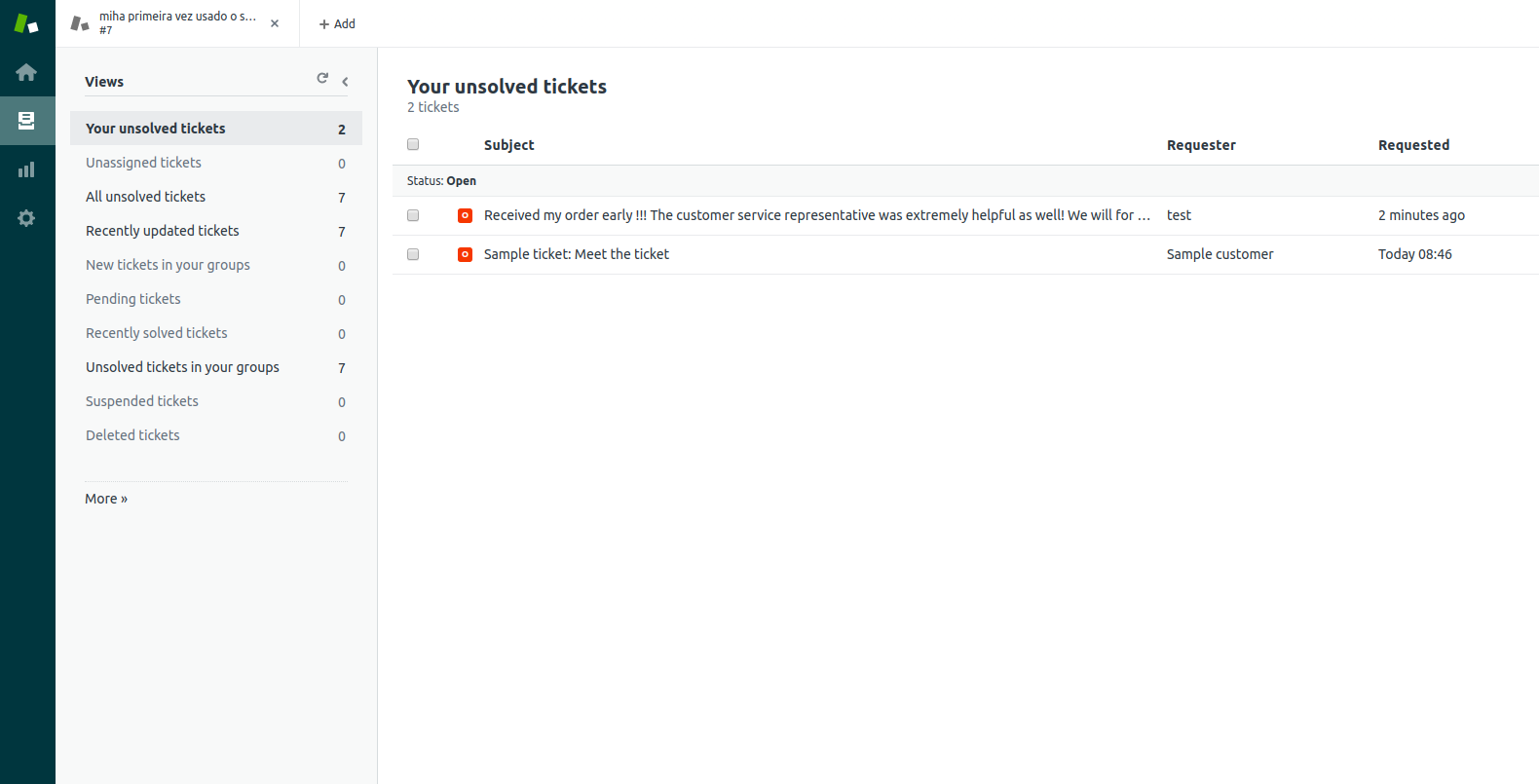
 7. Go to tickets and you'll see the reviews listed as tickets.
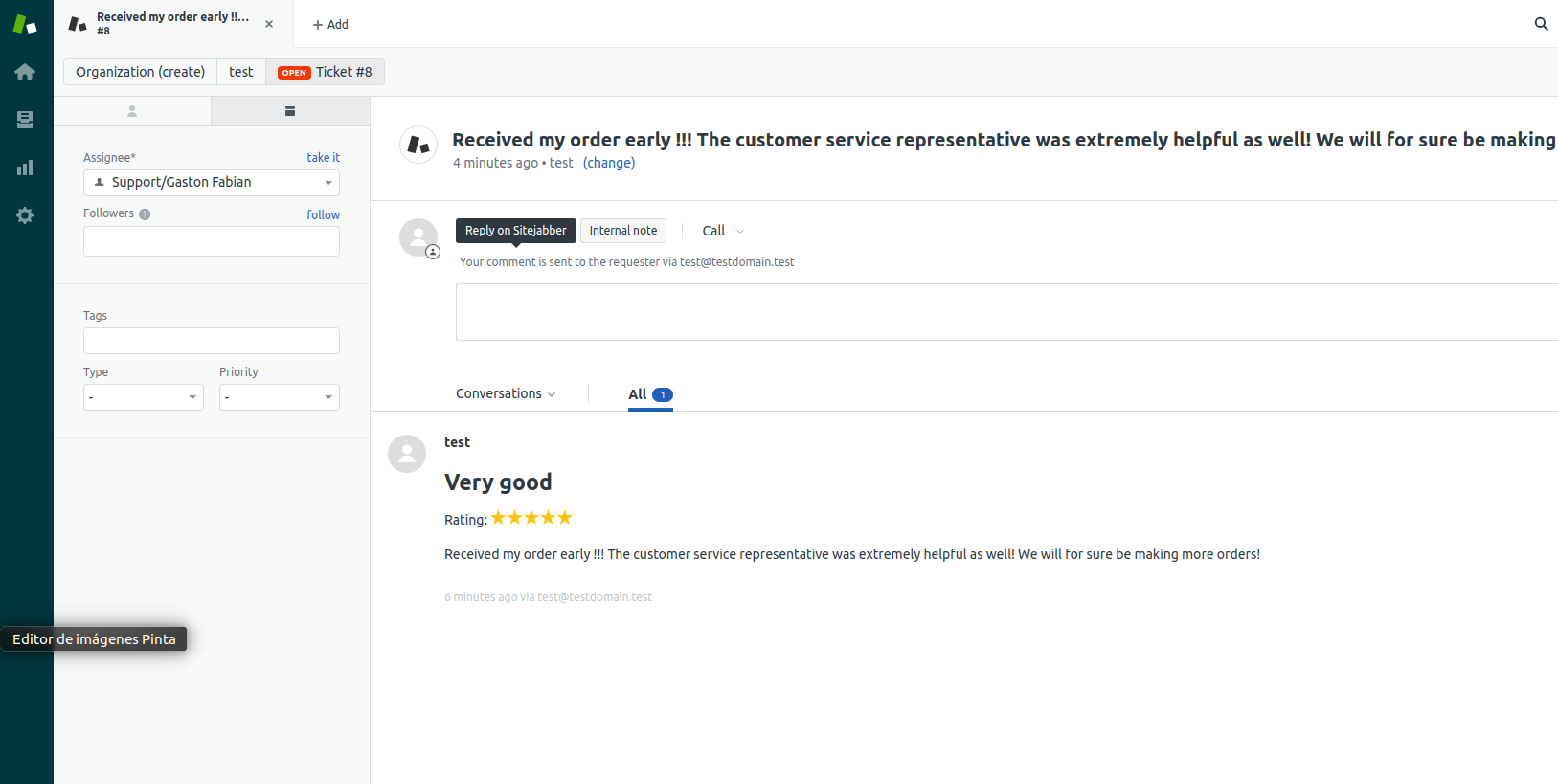
 8. Clicking on the ticket shows the details, title, rating and review content.
 9. You can respond, and it'll show as a comment on SmartCustomer.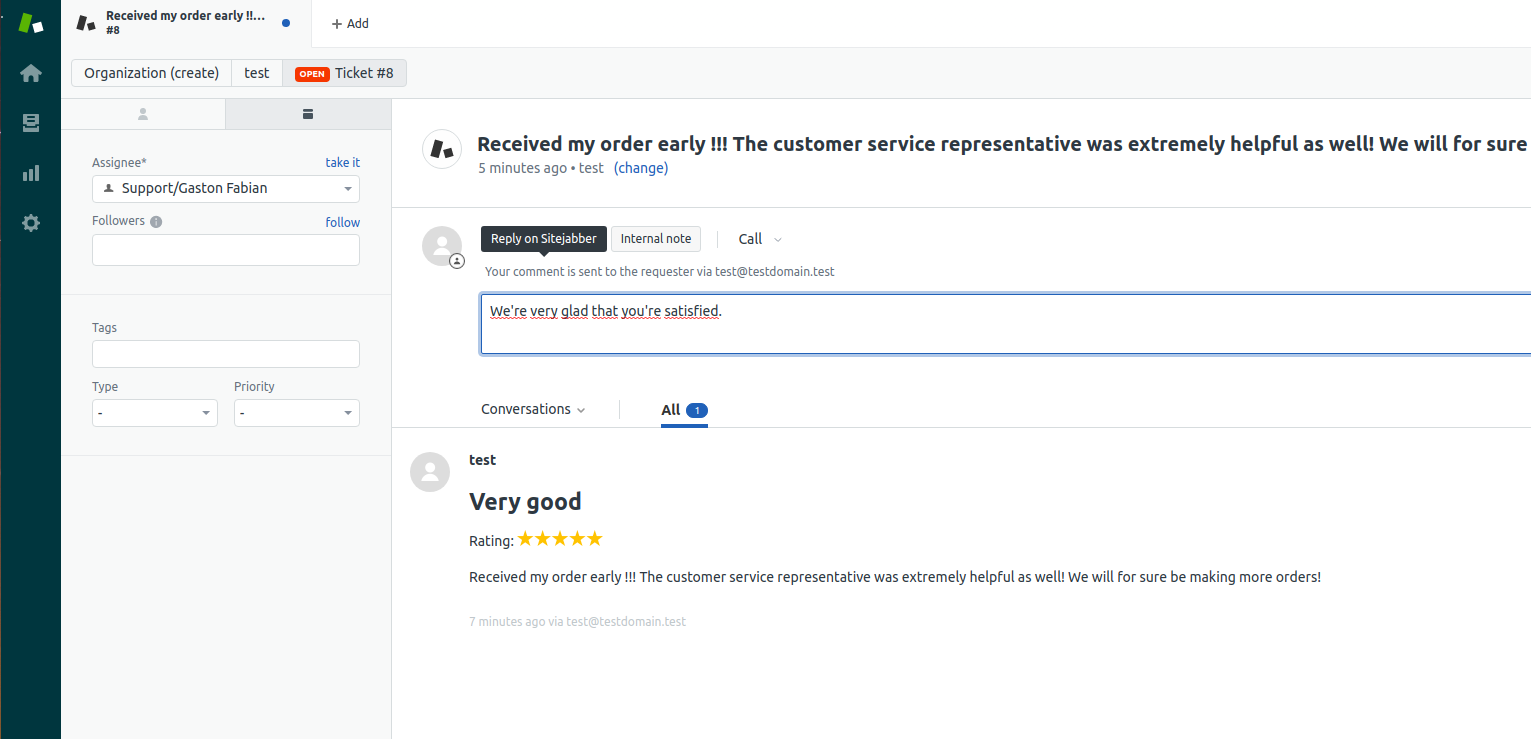
Bewerten Sie uns!
Teilen Sie Ihre Erfahrungen mit der Zendesk Community