Document360
The Knowledge Base Software that scales with your Product.
Installationen
50+
Kompatibel mit
Support
Entwickler:in
Document360
About this app
Document360 helps you create an amazing online Self-Service Knowledge Base, Private Team Knowledge Base, and Standard Operating Procedures (SOPs). Help your customers with a fully functional knowledge base that they can use to solve problems.
DOCUMENT360 + ZENDESK
Equip your support agents with knowledge without leaving Zendesk.
With the handy Document360 app, your support agents can search through the knowledge base, share article links or content, and create article drafts right from Zendesk.
→ Fast search

Use the integrated Document360 knowledge base in your Zendesk tickets, to search for and share articles to your customers with just a couple of clicks.
→Share link or content
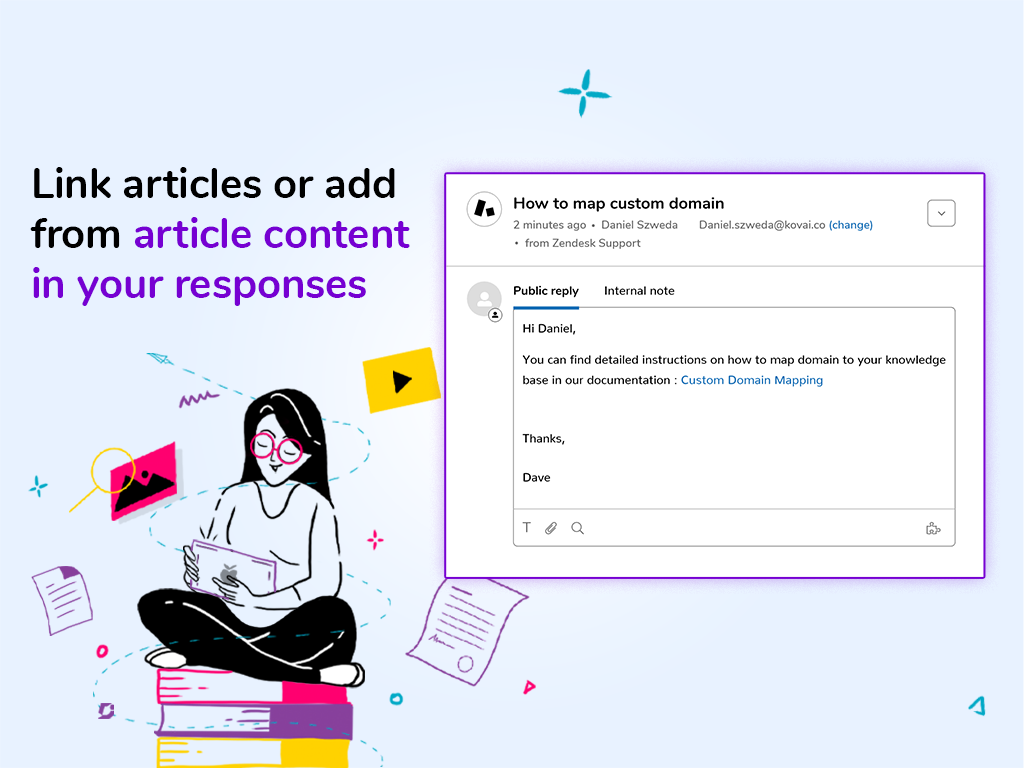
Respond to your ticket using the searched article by either inserting the link, article content, or a custom response using the information from the article.
→ AI powered suggestions
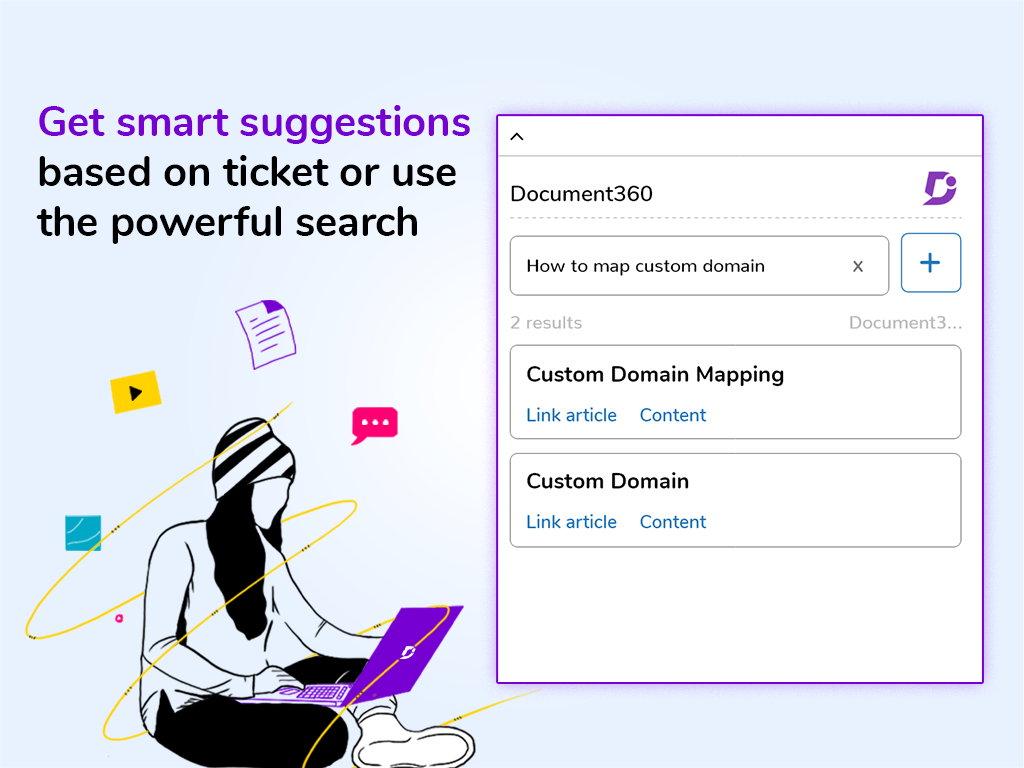
Automatic search in knowledge base using ticket title to return matching articles, when you click on the Document360 icon.
→ Create articles
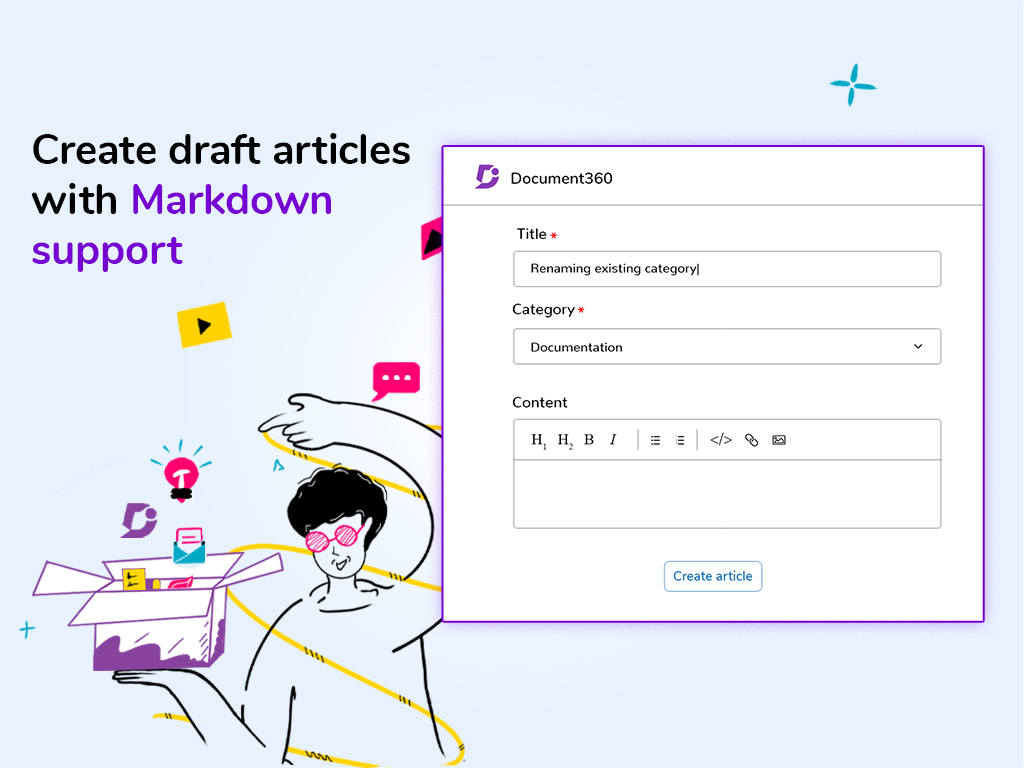
Create user-friendly documentation, author in Markdown, manage multiple versions and languages right from Zendesk without any additional team account. These articles remain in draft state, which can be reviewed by editors before publishing.
→ Optional per-agent sign-in
Project admins can require agents to sign in with their own Document360 account (Settings > Extensions > Zendesk). Agents then sign in once through a secure Document360 window; search results, article access and AI answers follow that user's permissions, and knowledge base activity is attributed to them. Both team accounts and readers can sign in: readers get read-only access (search, view and insert articles), while creating articles and categories stays available to team accounts. When the option is off, the app keeps working with the installation token alone, exactly as before.
→ Data disclosure
Document360 processes customer data only to provide the app features (for example: article search, article suggestions, and knowledge responses inside Zendesk). We apply access controls and secure transmission practices to reduce unauthorized access risk, and we do not use customer data for unrelated purposes.
With per-agent sign-in turned on, the app sends the signed-in agent's Zendesk user ID, name and email address to Document360 only to match the agent to their Document360 account. If a project admin connects their Zendesk account for automatic sign-in, Document360 uses Zendesk OAuth (read access to users) only to confirm the agent and their verified email addresses.
Privacy policy: https://document360.com/privacy/
→ Additional resource
You can always check out Document360 extension guide for more elaborate information.
https://docs.document360.io/docs/en/zendesk
https://document360.io/extension/zendesk/
Add the Document360 app to your Zendesk platform and equip your support agents with your powerful knowledge base.
Details zur App
Installationsanweisungen
Start the set-up from your Document360 portal.
Go to the Settings menu in your Document360 project
Under Tools, select Extensions
Next to the Zendesk box, click the plus (+) icon to generate a new token, and copy it
Head back to the Zendesk marketplace, search for Document360 and click install
If you have multiple accounts, select the intended account and click on Install again
Once redirected, paste the token generated in Document360, click Install again
The integration is done and you’re good to go.
Optional: to have every agent sign in with their own Document360 account (team account or reader; readers are read-only), turn on "Require agents to sign in to Document360" under Settings > Extensions > Zendesk in your Document360 project. Agents then see a "Sign in with Document360" button in the app and sign in once through a secure Document360 window.
You can always check out Document360 extension guide for a more elaborate instruction.
https://docs.document360.io/docs/en/zendesk
Are you keen on learning more about Document360 (or) how we can help you create a better knowledge base?
Ask for a demo on our website - https://document360.io/request-demo
Bewerten Sie uns!
Teilen Sie Ihre Erfahrungen mit der Zendesk Community