Macros Reporting and Management
Advanced macros reporting to level up productivity in your Zendesk.
About this app

🆕 New: Macros Management
Macros Reporting and Management now includes a powerful Macros Management module built for teams that want to scale, clean up, and stay in control of their Zendesk macros.
With Macros Management, you can:
- Instantly find and organize macros across brands, groups, and categories.
- Bulk edit macros to update titles, access, status, and multiple macro actions in one controlled flow — configure changes, review them, then follow the update process as it runs.
- Save the current table state as custom views, and use predefined views to quickly spot unused, low-impact, or outdated macros
- See exactly when a macro was last used — a level of visibility not available in Zendesk.
- Use custom labels to mark macros for review, cleanup, or deprecation and manage their lifecycle with confidence.
- Perform more bulk actions to activate, deactivate, label, or delete macros in seconds.
- Export macros for audits, cleanup projects, or large-scale updates.
- Keep your macro library clean, efficient, and easy to govern as it grows.
Macros Management is designed for Zendesk admins and CX leaders working with large or complex macro libraries, and works seamlessly alongside Macros Reporting analytics to turn usage data into action.
Available as part of the Pro plan.
Underutilization of macros is the primary agent productivity killer in Zendesk. With the Macros Reporting and Management app, you can find and fix productivity gaps quickly and easily.
Key benefits
- Discover productivity trends and patterns with detailed macro usage statistics.
- Spot cherry-picking and close knowledge gaps with agent macro usage data.
- Keep the macro library clean and up to date with detailed macro usage analytics.
- Improve problematic macros with low One-Touch Rate and Satisfaction Rate.
How it works
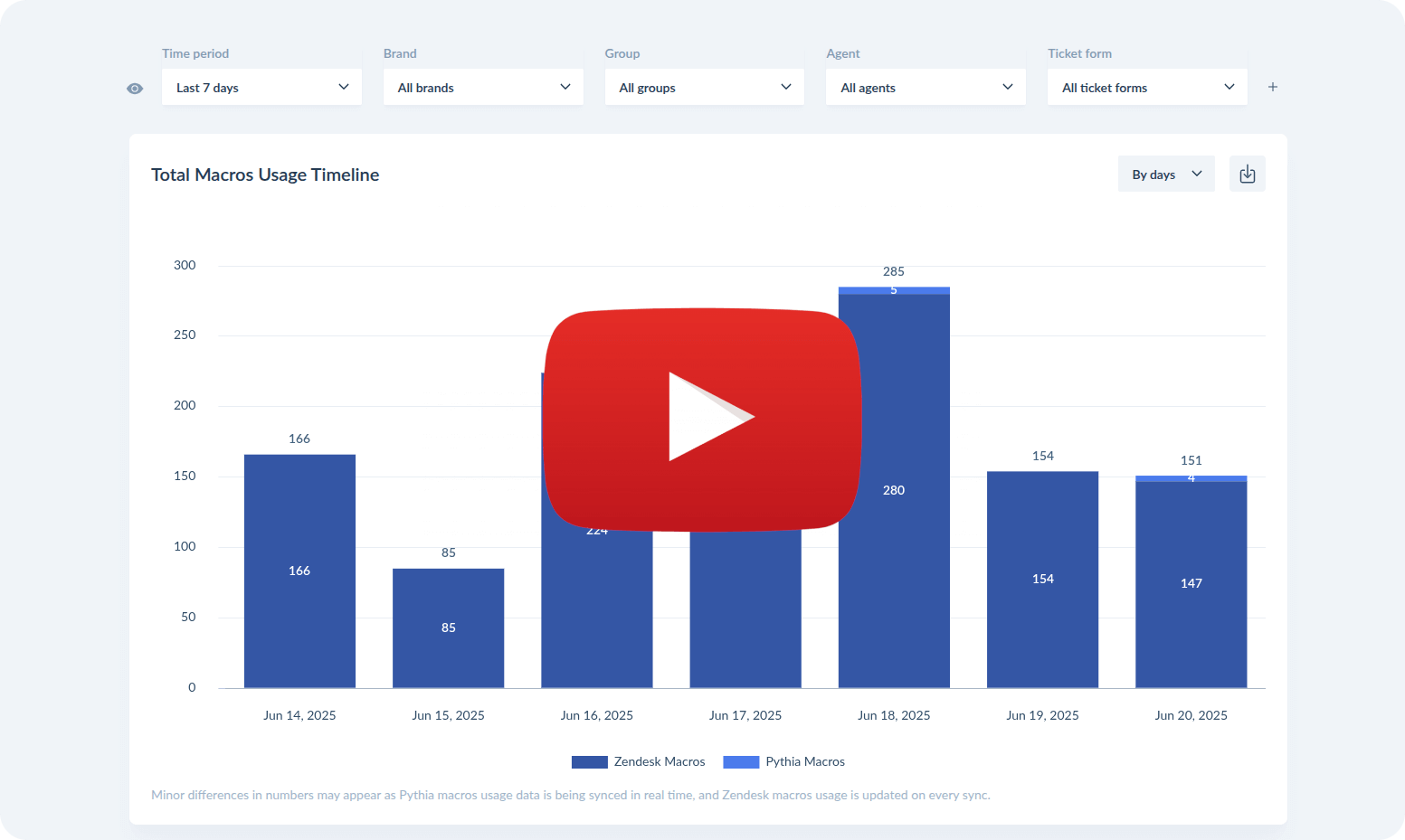
Getting started
- Enjoy a free 14-day trial.
- Cancel the trial anytime.
- Get 50% off your first month.
- Restrict access to the app by setting permissions for specific Group(s) or Role(s) (see how here).
Macros Reporting and Management has pay-as-you-go billing. More info here: https://pythia.cc/pricing/report.
Privacy Policy | Terms of Service
Explore other Pythia apps for improving your Zendesk operations and productivity.

NEW! Meet Parnas - the full-stack Gen-AI solution for Zendesk.

Details zur App
Installationsanweisungen
To install the Macros Reporting and Management app in your Zendesk Support, please follow these steps:
Install the app.
Add your Zendesk credentials (or add your existing Pythia API token if you already have another Pythia app installed).
Enjoy your free 14-day trial of Macros Reporting and Management.
During the trial, you will have Advanced plan enabled by default. Once the trial ends, you will be prompted to purchase the subscription to continue using the app.
For further assistance, please contact us via hello@pythia.cc or the widget on https://pythia.cc/.
Important notes:
- No credit card required to start the trial.
- Cancel the trial anytime by simply uninstalling the app.
- Restrict access to the app by setting permissions for specific Group(s) or Role(s) (see how here).
Bewerten Sie uns!
Teilen Sie Ihre Erfahrungen mit der Zendesk Community